Google Map Ne Hume Kahan Phasa Diya? Shinkula Pass Trip Story (2026)
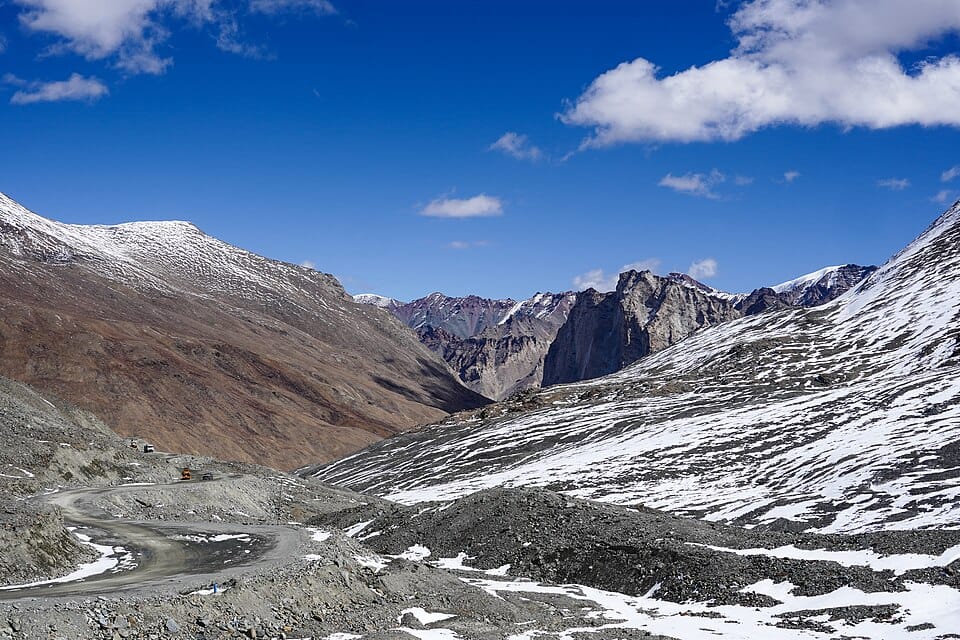
View from Shingo La (elev. 5,054m/16,580') north towards Lungnak valley, Zanskar. Road (under construction) descends towards Lungnak and onwards to Padum. Much less snow on this north side of the pass compared to the south (Lahaul) side. Ladakh, India.
Google Map Ne Hume Kahan Phasa Diya – Mountain road trips ka apna hi excitement hota hai. Google Maps open karo, destination enter karo, aur nikal pado. Humne bhi exactly yahi kiya.
Plan simple tha:
Manali → Keylong → Darcha → Shinkula Pass
Sab kuch perfect lag raha tha.
Road clear thi, weather accha tha, aur Google Maps confidently route dikha raha tha.
Lekin kuch ghanton baad hume samajh aaya ki Himalayas mein sirf Google Maps par bharosa karna kitna mehnga pad sakta hai.
Ye hai hamari Shinkula Pass trip story aur woh galti jo bahut se tourists aaj bhi kar rahe hain.
Jab Google Maps Sabse Smart Lag Raha Tha
Subah hum Manali se nikle.
Plan tha:
- Keylong cross karna
- Darcha pahunchna
- Shinkula Pass visit karna
- Shaam tak wapas aana
Google Maps estimated time dikha raha tha:
“Bas kuch ghante aur.”
Sab kuch normal lag raha tha.
Lekin mountain roads ka ek rule hai:
Jo Google Maps dikhata hai, zaroori nahi ground reality bhi wahi ho.
Pehli Warning Jo Humne Ignore Kar Di
Darcha ke aas-paas ek local driver ne poocha:
“Road status check kiya hai?”
Humne confidently jawab diya:
“Google Maps par route green hai.”
Driver muskura diya.
Tab hume us smile ka matlab samajh nahi aaya.
Baad mein samajh aa gaya.
Google Maps Ne Road Open Dikhaya, Reality Kuch Aur Thi
Aage badhte hi road conditions change hone lagi.
Paved road dheere-dheere rough track mein badal gayi.
Kuch jagah:
- Slush tha
- Water crossings thi
- Construction work chal raha tha
- Network weak ho gaya
Google Maps ke liye road “open” thi.
Lekin actual driving conditions challenging thi.
Mountain regions mein map apps har baar real-time road conditions nahi dikha paate.
Jab Network Gayab Ho Gaya
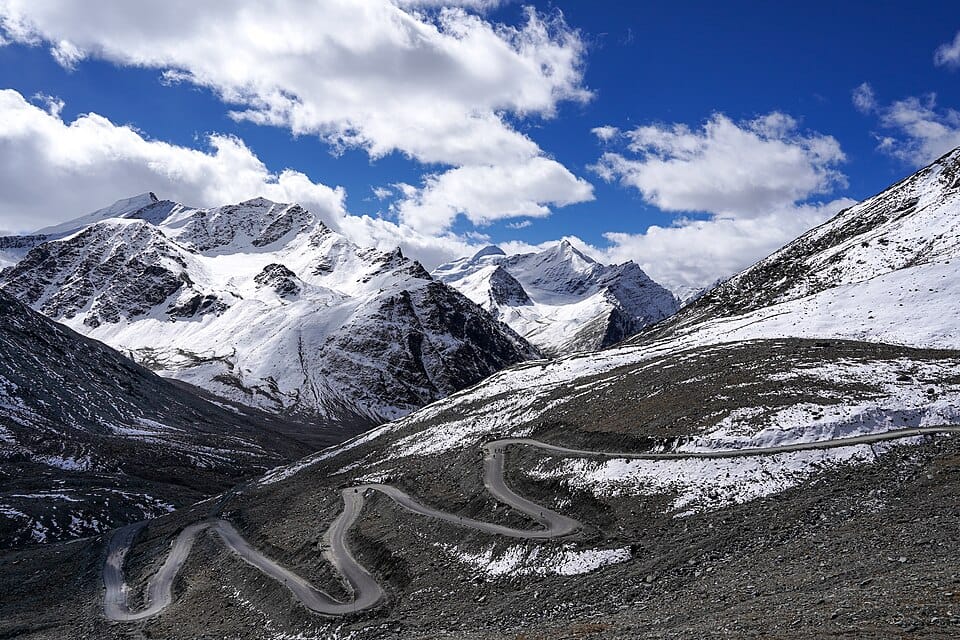
Shinkula route kaafi remote hai.
Ek point ke baad:
- Mobile signal weak
- Internet almost dead
- Navigation lag karne laga
Aur wahi sabse stressful moment tha.
Hum sirf map ke bharose the.
Offline map bhi properly download nahi kiya tha.
Ye hamari sabse badi galti thi.
Shortcut Ne Trip Aur Mushkil Bana Di
Google Maps ne ek alternate route suggest kiya.
Distance kam dikh rahi thi.
Naturally humne socha:
“Shortcut le lete hain.”
Lekin mountain shortcuts aksar plains wale shortcuts jaise nahi hote.
Result:
- Narrow road
- Loose rocks
- No traffic
- No help nearby
Us waqt samajh aaya:
Shortest route aur safest route alag-alag cheezein hoti hain.
Shinkula Pass Par Sabse Badi Reality Check
Jab hum finally pass ke kareeb pahunchhe, tab ek aur surprise mila.
Altitude.
Shinkula Pass lagbhag 16,600+ feet ki height par hai.
Google Maps distance bata sakta hai.
Lekin altitude ka effect nahi samjha sakta.
Kuch logon ko yahan experience ho sakta hai:
- Headache
- Fatigue
- Dizziness
- Shortness of breath
Isi liye experienced travelers acclimatization ki advice dete hain.
Local Drivers Google Maps Se Zyada Kyon Jaante Hain?
Mountain travel ka ek golden rule hai:
Local information beats navigation apps.
Local drivers ko pata hota hai:
- Road kis condition mein hai
- Water crossings kitni risky hain
- Landslide zones kahan hain
- Weather kaise behave kar raha hai
Google Maps ye sab predict nahi kar sakta.
Hamari 3 Sabse Badi Galtiyan
1. Offline Maps Download Nahi Kiye
Network chala gaya.
Navigation unreliable ho gaya.
2. Road Status Verify Nahi Kiya
Humne local updates ignore kar diye.
3. Estimated Time Par Bharosa Kar Liya
Mountain roads mein:
100 km = 100 km nahi hote.
Kabhi-kabhi 50 km bhi 3–4 ghante le sakte hain.
Shinkula Pass Jaane Wale Tourists Kya Seekh Sakte Hain?
Agar aap Shinkula Pass trip plan kar rahe hain:
Always:
– Offline maps download karo
– Latest road status check karo
– Weather verify karo
– Fuel full rakho
– Local advice follow karo
– Emergency snacks carry karo
– Daylight mein travel karo
– Buffer time rakho
Kya Google Maps Galat Tha?
Nahi.
Google Maps ek useful tool hai.
Lekin Himalayas mein sirf Google Maps par depend karna risky ho sakta hai.
Mountain travel mein equally important hain:
- Local knowledge
- Weather updates
- Road conditions
- Common sense
Final Verdict
“Google Map Ne Hume Kahan Phasa Diya?”
Sach kahen to Google Maps ne nahi…
Hamari overconfidence ne hume phasaya.
Shinkula Pass ki trip ne hume ek important lesson diya:
Mountains follow nature, not navigation apps.
Google Maps aapko destination tak le ja sakta hai.
Lekin Himalayas mein safe travel ke liye local information aur proper planning utni hi zaroori hai.
Aur shayad isi wajah se Shinkula Pass ki ye journey hamari sabse memorable road-trip stories mein se ek ban gayi.
If you’re looking in Manali for:
- Budget hotels near Mall Road
- Affordable stays in Old Manali
- Complete Manali tour packages
- Cab booking & travel planning
You can get everything in one place at Elena Holidays
Also if:
Want the best price deals on budget hotels in Manali?
Click here to chat instantly on WhatsApp
Join Our Travel Community
We regularly share:
- Latest Manali hotel deals
- Budget travel tips
- Hidden places in Himachal
- Exclusive offers
Join our Telegram group here
Shinkula Pass Jane Se Pehle Ye 5 Galtiyan Mat Karna (2026 Shinkula Pass travel guide)
About The Author


1 thought on “Google Map Ne Hume Kahan Phasa Diya? Shinkula Pass Trip Story (2026)”